✓ GDPR-compliant✓ Hosted in the EU✓ Official platform APIs
✓ 14 days free · No credit card required · Ends automatically
How it works. The core pieces, on the real screen.
01
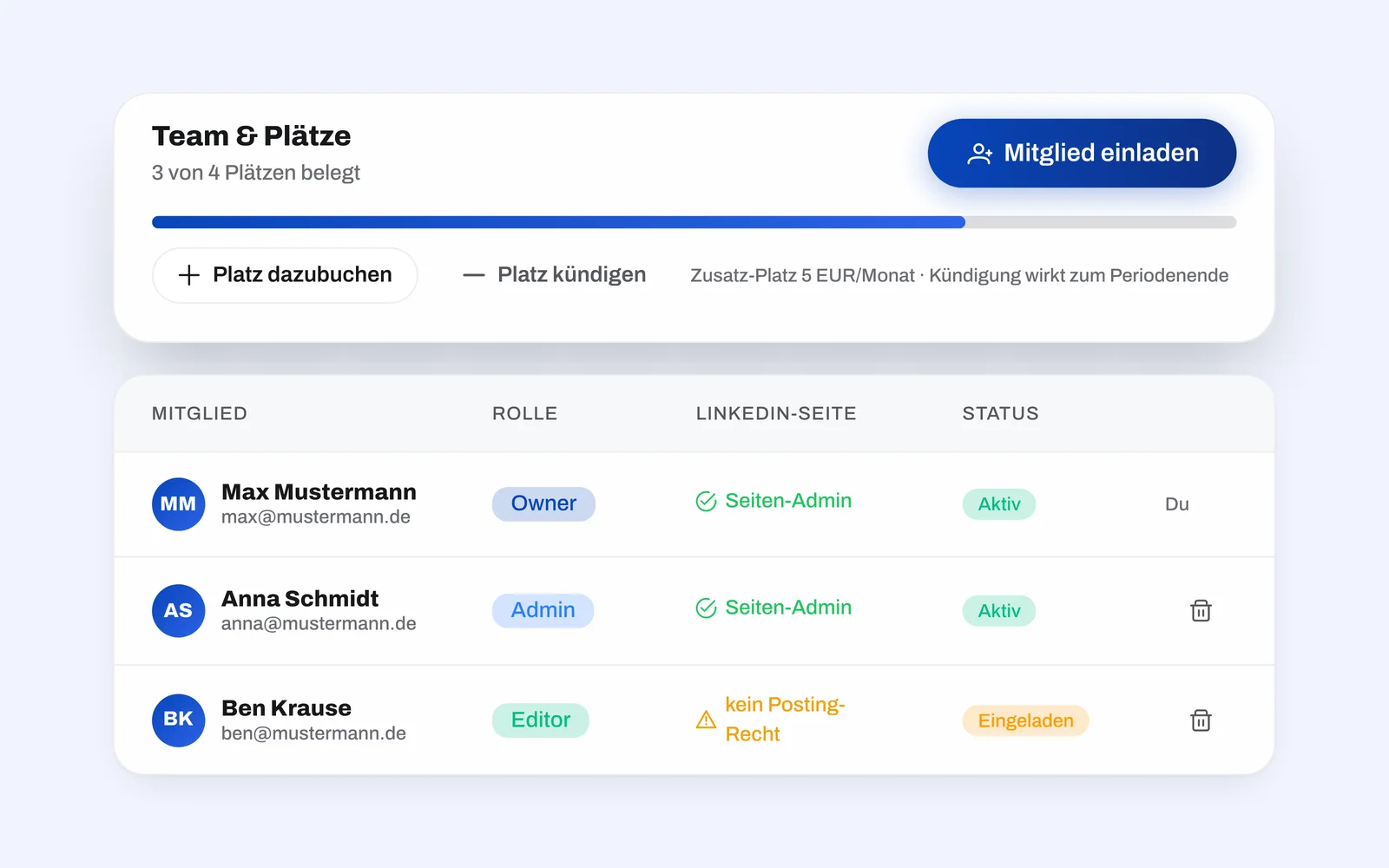
Three roles: owner, admin and editor
An editor writes posts and submits them for approval - no more, and that is the point: they do not decide about access. An admin can also approve, publish, invite members and connect channels. The owner owns the company and additionally manages the subscription. Who holds which rights is settled before the first post exists.
02
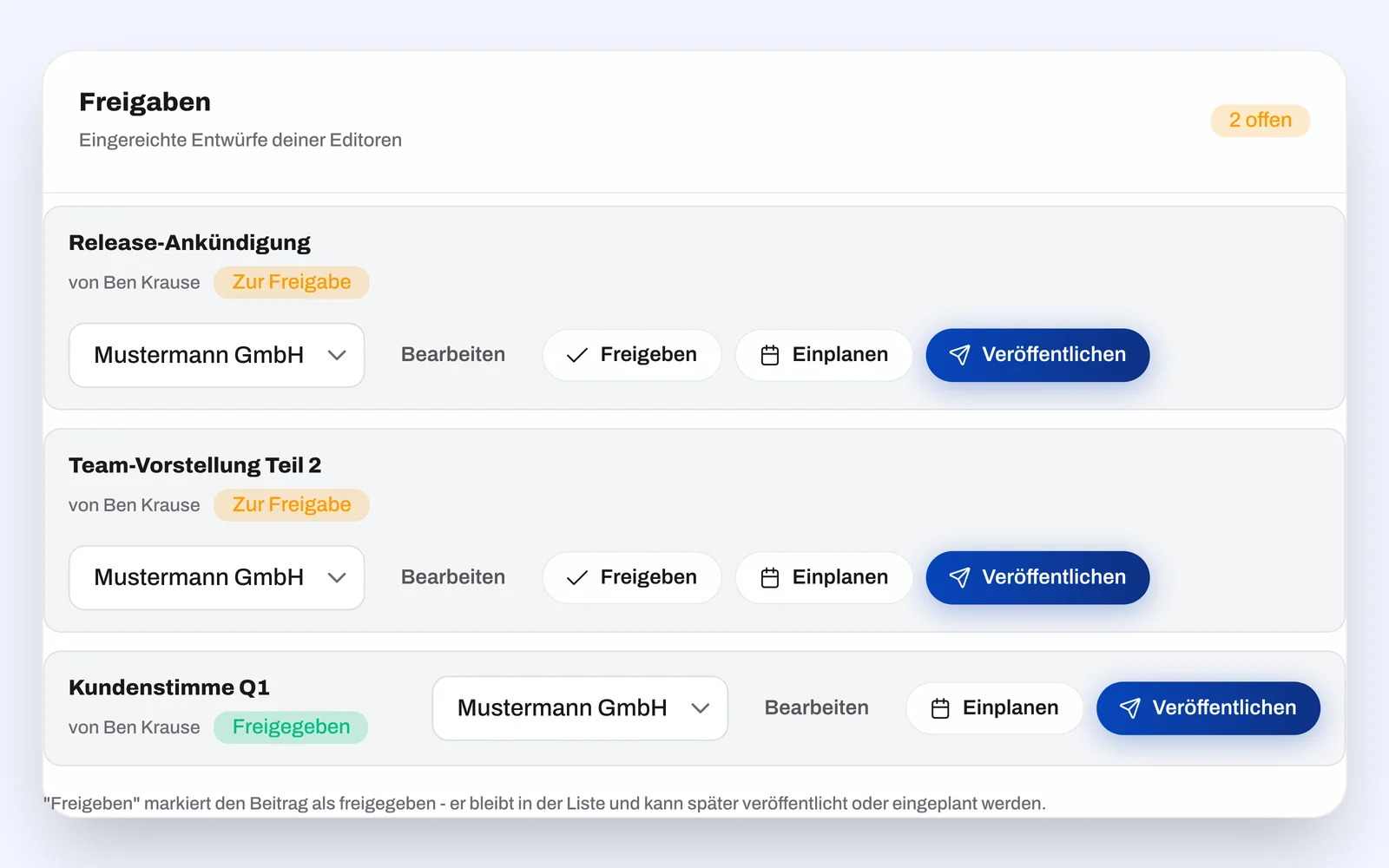
Approval before publishing
Posts are reviewed and approved before going live - inside the tool instead of email ping-pong. The reviewer approves or sends the post back with a change request; that request then sits in the post itself, in front of the author, not in an inbox. Nothing goes online unchecked, not even through a scheduled slot.
3
roles: owner, admin and editor
2
seats included in the Business plan
1
shared company voice
And there is more.
One shared style
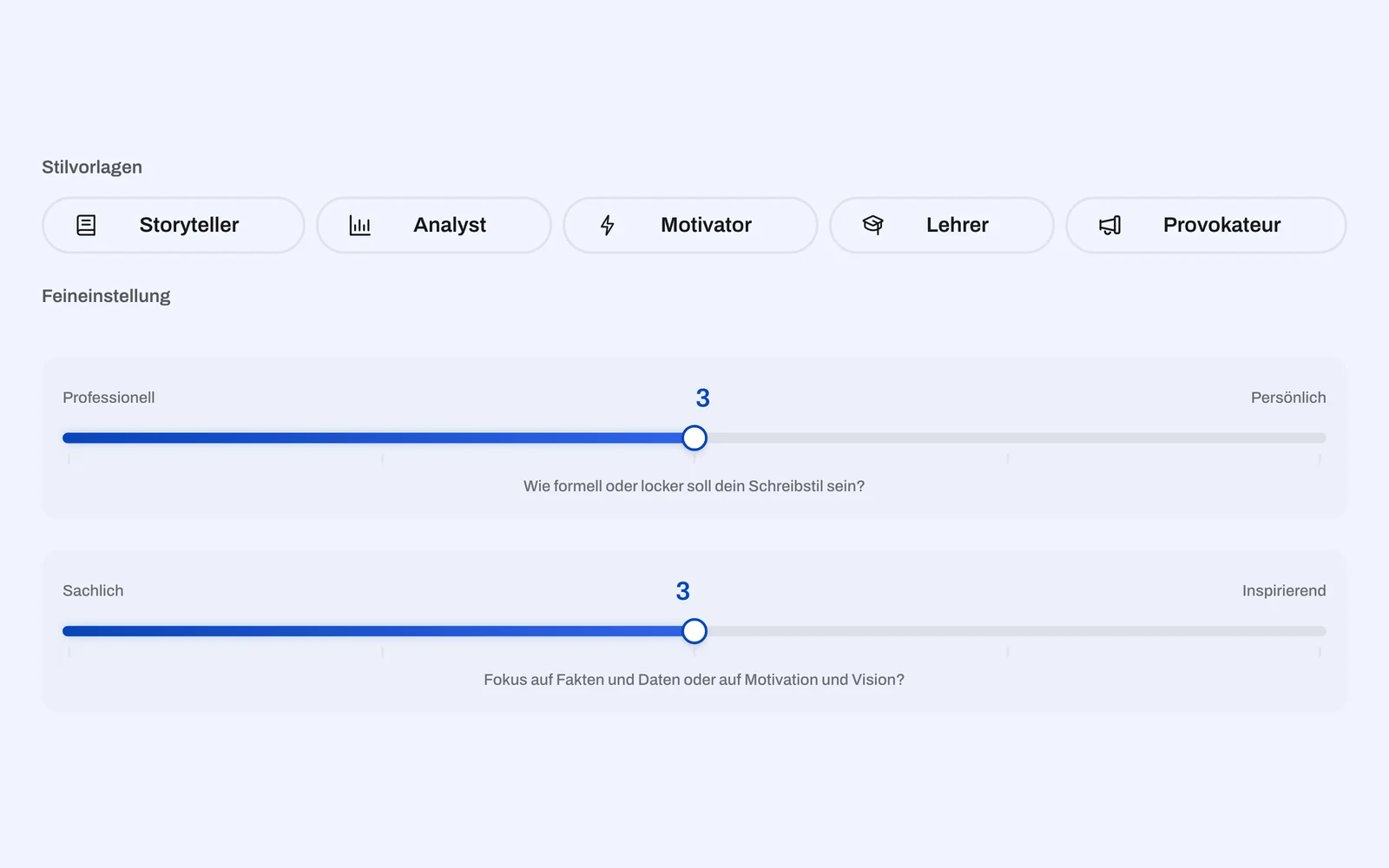
A shared style profile makes sure all posts fit the brand - no matter who on the team creates them.
+
The company voice can be seeded from the owner's personal profile; from then on it keeps learning from the texts the team writes or heavily reworks itself. A gender-inclusive notation can also be made binding for the team.
Analytics for the whole team
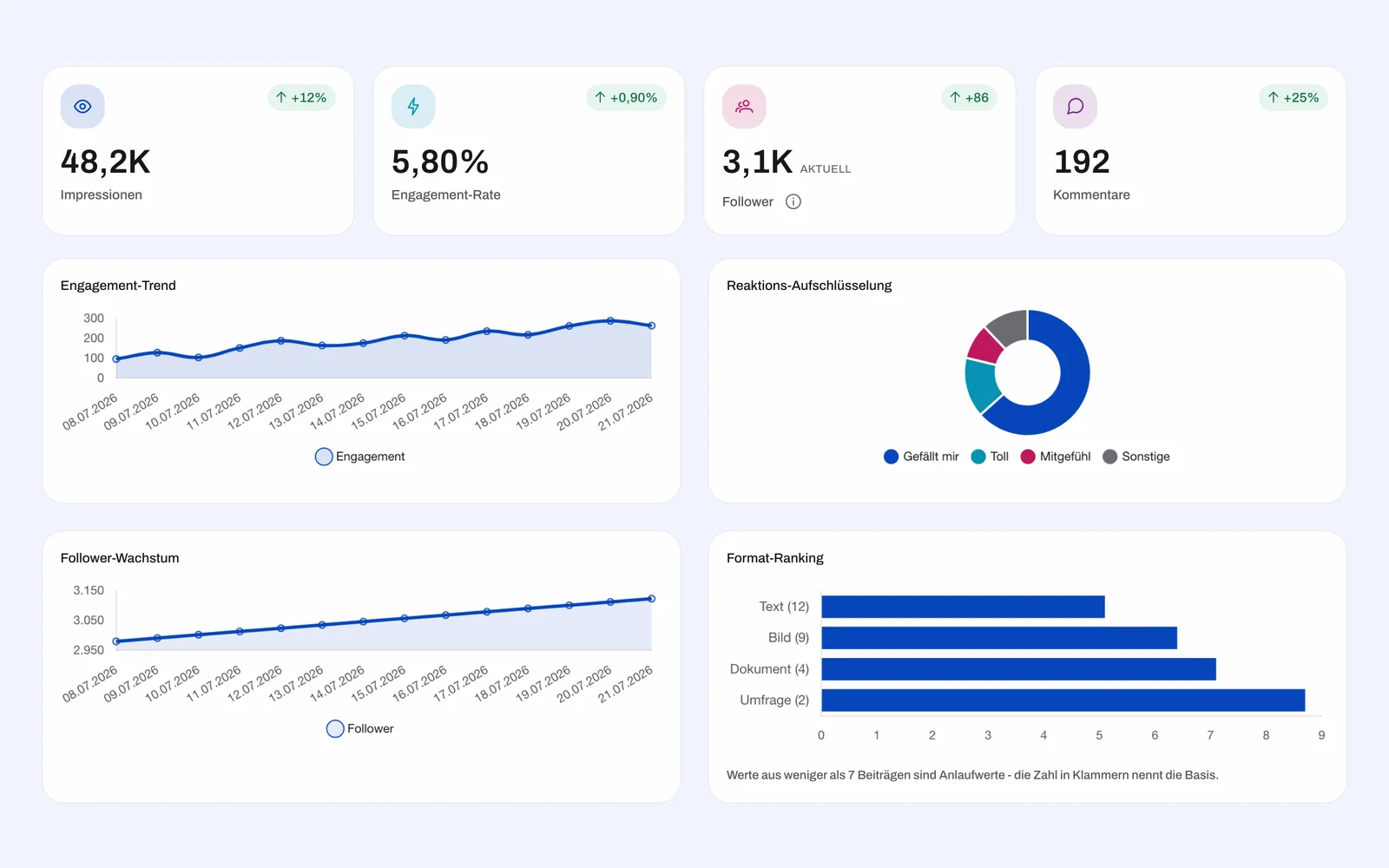
In the company context, analytics bundle every member's posts - the same metrics as in your personal space, just across the team, and across LinkedIn, Facebook and Instagram at once.
+
You see together what lands, instead of collecting numbers from several accounts. For the LinkedIn company page, follower demographics come on top: industry, seniority, function and region.
DPA right in your account
Sign the data processing agreement electronically in the company area - with a version record and traceable proof of who accepted when.
+
When a new version appears it is shown and has to be accepted again; the signed one stays available and printable as an unalterable record. No PDF back-and-forth.
What is pending sits on the dashboard
The company dashboard shows what is waiting for approval. From there you approve or request changes directly, without hunting for the post first.
+
Plus notifications both ways: owners and admins on every submission, the author on the decision - switchable off when it gets too much.
Personal and company cleanly separated
You switch between your personal space and the company with one click.
+
The content stays strictly apart: what you write privately, the team does not see, and the other way round. kontiqo remembers which space you had open last.
Channels belong to the company, not to a person
LinkedIn company pages, Facebook pages and Instagram accounts are assigned to the company.
+
The whole team can post through them, and access does not depend on one particular person still being around.
2
Seats in both directions
Two seats are included in the base price. You add more as the team grows - and cancel them again when it shrinks; a reduction is credited.
+
Billing is monthly or yearly, with a VAT ID for your company invoice on request.
Inviting takes a minute
You invite by email and set the role right along with it.
+
Anyone who declines frees their seat again - it does not stay occupied, and you have nobody to tidy up after. A new member finds the company voice, the channels and the content plan already in place; nothing needs setting up before they can start writing.
Frequently asked questions
How many people is this for?
From a team of two to the whole company. Two seats are included in the base price; you add more as needed and cancel them again when the team shrinks.
Which roles are there?
Three: owner, admin and editor. An editor writes and submits for approval. Admins and owners approve, publish, invite members and connect channels; the owner additionally holds the subscription.
How does approval work?
One person creates the post and submits it. Owners and admins get an email, review and approve - or send it back with a change request. Only an approved post can be published or scheduled.
How is the team billed?
Transparently per seat, monthly or yearly. Additional seats can be added any time, a reduction is credited; you'll find the details on the pricing page.
Who is the team area for?
For anyone where more than one person writes or has a say: companies with marketing leads and founder teams. What sets it apart from a single account is not the volume but the approval step - and the separate company voice.
Can anyone bypass the approval?
No. A company post can technically only be published or scheduled in the "approved" state. That holds on every route, including the Telegram integration and automatic publishing at a scheduled time.
Does my team see my personal posts?
No. Your personal space and the company are separate - ideas, posts and style profile belong to one context only. You switch between them, but they do not mix.
Who owns the connected channels?
The company. LinkedIn company pages, Facebook pages and Instagram accounts are assigned to it, so the whole team can post through them and access does not hang on a single person.